
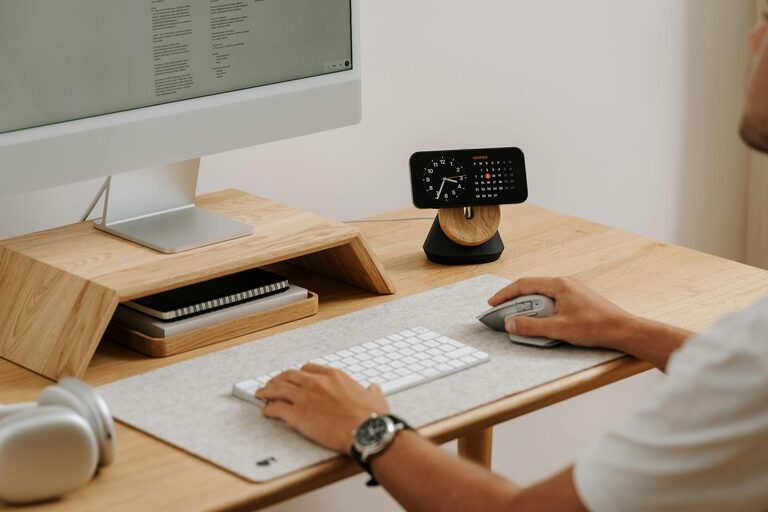
Tips for Creating a Productive Home Office Environment
Creating a productive home office environment is essential for anyone who works remotely or spends significant time on tasks at home. A well-designed workspace can improve focus, reduce stress, and enhance overall work performance. Whether you have a dedicated room or just a corner of a room to work in, there are simple yet effective strategies to set up a productive home office. In this guide, we’ll explore practical tips to help you design a workspace that supports your best work.
Why a Productive Home Office Matters
Working from home provides flexibility but also comes with distractions and challenges. Without the right environment, it’s easy to feel unmotivated or overwhelmed. A productive home office encourages discipline and helps separate work life from home life, which is important for mental wellbeing.
Choosing the Right Location
Pick a Dedicated Space
If possible, select a space solely for work. This could be a spare bedroom, a study, or even a quiet corner. Having a dedicated area helps your brain associate that space with work, making it easier to focus.
Consider Natural Light
Natural daylight boosts mood and alertness. Position your desk near a window to benefit from daylight, but avoid glare on your screen by arranging your desk perpendicular to the window.
Minimise Noise and Interruptions
Choose a quiet area where household noise is least likely to interrupt you. If background noise is unavoidable, consider noise-cancelling headphones or white noise apps.
Ergonomics and Comfort
Invest in a Good Chair and Desk
Comfort is key to sustaining long work hours without strain. An ergonomic chair with lumbar support and an adjustable desk at the right height helps maintain good posture and reduces physical discomfort.
Screen and Keyboard Position
Place your screen at eye level and about an arm’s length away to reduce eye strain and neck pain. Your keyboard and mouse should be positioned so your arms are bent at around 90 degrees.
Keep Essentials Within Reach
Arrange frequently used items—like pens, notepads, and chargers—close to your desk space to avoid unnecessary interruptions.
Organising Your Workspace
Declutter Regularly
A clean, organised workspace improves focus and reduces stress. Clear away unnecessary papers or items at the end of each day.
Use Storage Solutions
Use shelves, drawers, or filing systems to organise documents and office supplies. Label containers for easy access.
Manage Cables and Devices
Tidy cables with clips or cable organisers to avoid a tangled, distracting mess. Keep your devices charged and ready to use.
Lighting and Ambience
Combine Natural and Artificial Lighting
Supplement natural light with good quality task lighting such as a desk lamp that offers adjustable brightness and warm tones to prevent eye strain.
Consider Colour and Decoration
Calming colours like blue or green can promote concentration, while personalised but minimal decoration makes the space inviting without being distracting.
Add Plants
Indoor plants can improve air quality, reduce stress, and enhance the look of your office.
Establishing a Routine and Boundaries
Set Clear Working Hours
Decide your work schedule and stick to it. This helps build routine, maintain work-life balance, and signals to others when you are ‘at work’.
Take Regular Breaks
Use techniques like the Pomodoro method—work for 25 minutes, then break for five—to maintain productivity and prevent burnout.
Communicate Boundaries
If you share your home, make sure housemates or family understand your working times and space to minimise interruptions.
Utilising Technology Effectively
Reliable Internet Connection
A strong and stable internet connection is vital for remote work. Position your router nearby or consider an upgrade if needed.
Useful Tools and Apps
Use productivity apps for time management, note-taking, and project tracking. Examples include calendar apps, to-do lists, and focus timers.
Backup and Security
Ensure your work files are regularly backed up and use strong passwords to protect sensitive data.
Personalising Your Office Space
Add Comfort Elements
A cosy throw, personal photos, or inspiring quotes can make your workspace enjoyable and motivating.
Keep Hydrated and Snack Smart
Keep a water bottle within reach and opt for healthy snacks to maintain energy levels.
Conclusion
Designing a productive home office environment is about balancing comfort, organisation, and practicality. By choosing the right location, investing in ergonomic furniture, managing clutter, and setting a routine, you can create a space that helps you work efficiently and enjoyably. Remember, small changes can make a big difference in how you feel and perform throughout your workday. Take the time to tailor your workspace to your needs and preferences for the best results.